Client Records and Follow-Up Workbook
$39.00
Keep client contact details, interaction history, and next steps in one workbook. Use it to prepare for calls, pick up a conversation after a handoff, and see which commitments still need a response.
Description
Client records and follow-up tracker in Excel
Record the decision from each interaction and the specific promise you made to the client. A note such as “send updated scope by Friday” is easier to act on than “follow up.” Before handing a client to another team member, confirm that the current status, latest files needed, and next contact date are easy to find.
Inputs and reporting views
- Client details. Name, relationship owner, and stage
- Activity history. Date, interaction, and outcome
- Follow-up. Next action and expected completion date
- Handoff. Open promises and documents still needed
How to use it
- Set up a record for each client with their stage, relationship owner, and planned follow-up. Log important calls, emails, or meetings with the date and the outcome.
- Separate the activity history from the next action. During a weekly review, identify overdue follow-ups and set a clear deadline for the next contact. Check stale records before preparing renewal or handoff conversations.
Worked example
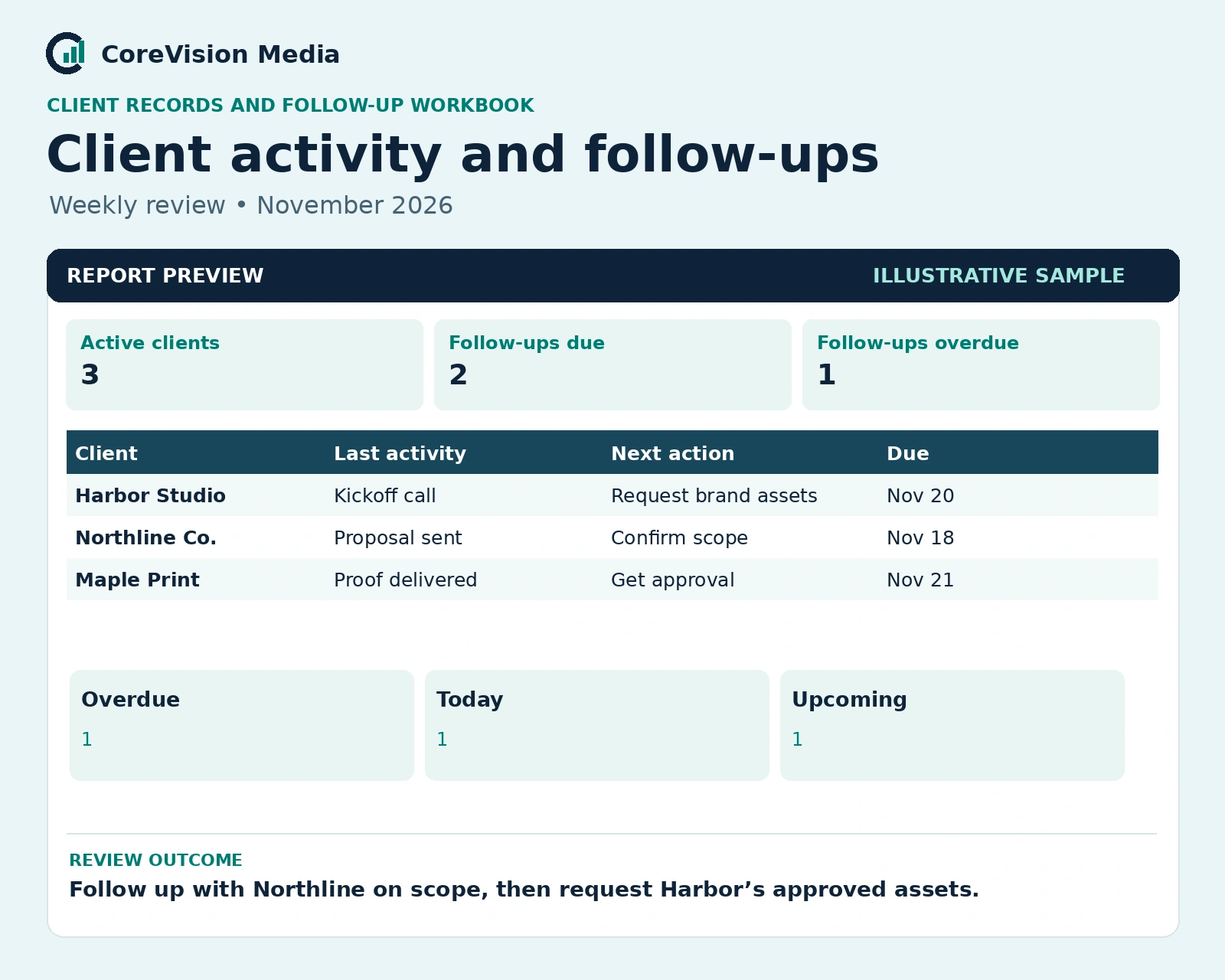
Three accounts, one overdue action
Review the overdue scope confirmation first, then request the brand assets before the upcoming project kickoff.
After a kickoff call, record which files the client agreed to send and when they are due. Keep the next follow-up date visible so the project owner can act before the start date moves.
Who it’s for
Freelancers, agencies, and service teams with several active client relationships.
Frequently asked questions
How is this different from Sales Pipeline?
Use the client workbook for relationship history and follow-through. Use the pipeline for opportunities, deal stages, and projected sales.
What should a useful activity note include?
Record what was agreed, who owns the action, and the date another person should check it.
Related workbook: Sales Pipeline Review Workbook. For product or compatibility questions, contact CoreVision Media.

Reviews
There are no reviews yet.